

Download Meebo APK – chat app, messaging app, social media chat, instant messaging, Meebo, Android app
Overview
Meebo is a messaging client designed for Android devices, offering a unified platform for accessing multiple instant messaging services. The software enables users to connect to a variety of chat networks, including MSN, ICQ, MySpace, and Facebook, all within a single application. This consolidation simplifies communication by eliminating the need to switch between separate apps for different platforms. The primary purpose of Meebo is to streamline real-time conversations across diverse messaging ecosystems, making it particularly useful for individuals who maintain active accounts on multiple services.
Target users include casual and frequent communicators who value convenience and efficiency. The app is ideal for those who manage several social and messaging accounts and seek a centralized interface. Meebo, Inc. developed the software with a focus on accessibility and ease of entry, as no account creation is required to begin using the app. This allows immediate access to existing messaging credentials, reducing setup friction. Real-world usage scenarios include staying connected with friends across different platforms, managing work-related chats, or maintaining personal relationships through varied communication channels.
Key Features & Capabilities
- Multi-Platform Messaging Integration – Meebo supports connections to major chat services such as MSN, ICQ, MySpace, and Facebook, allowing users to manage all their accounts in one place.
- Zero Account Requirement – Unlike some competitors, users can start using Meebo immediately without creating a new profile or account.
- Centralized Contact Management – Contacts from different services are organized logically, improving navigation and reducing the risk of sending messages to the wrong person.
- Intuitive Interface Design – The clean layout enhances usability, enabling quick access to conversations and minimizing user errors during communication.
- Lightweight Installation – At just 2.5 MB, the app is compact and suitable for devices with limited storage space.
These features support efficient communication workflows. For example, a user can check messages from Facebook and MSN simultaneously without switching apps. The lack of mandatory account creation lowers the barrier to entry, making it ideal for users who want to test the app before committing. The logical contact organization helps prevent accidental messages, especially when managing multiple networks with similar usernames.
User Interface, Workflow & Performance
The user interface of Meebo is designed with simplicity and clarity in mind. Navigation is straightforward, with a clean layout that groups contacts and conversations by service. The app’s workflow emphasizes speed and accuracy, enabling users to initiate chats with minimal taps. Contact lists are organized in a way that prioritizes visibility and reduces confusion, especially when multiple accounts are active.
Performance observations are based on general software behavior patterns. The developer did not specify resource usage details, so exact CPU or RAM consumption is unknown. However, the app’s lightweight size of 2.5 MB suggests efficient resource utilization. Stability is expected to be consistent given the app’s focused scope and limited feature set. Users can expect smooth operation on compatible Android devices, though actual performance may vary depending on device specifications and network conditions.
Compatibility & System Requirements
Meebo is designed for Android operating systems and was released on May 15, 2010. The app has a file size of 2.5 MB, indicating it is optimized for devices with modest storage capacity. The developer did not provide additional system requirements, so exact hardware or software prerequisites are unknown. Compatibility information is limited to the stated OS, and no details were given about minimum Android version or processor requirements.
Users should ensure their device runs a version of Android compatible with the app’s release date. Given the age of the software, it may not support newer Android versions or devices with updated security protocols. Installation is straightforward, but compatibility with modern devices cannot be confirmed without further information from the developer.
Pros and Cons
Pros
- No account creation required to start using the app
- Supports multiple messaging services in one interface
- Compact file size of 2.5 MB
- Intuitive and clean user interface
- Centralized contact management reduces errors
Cons
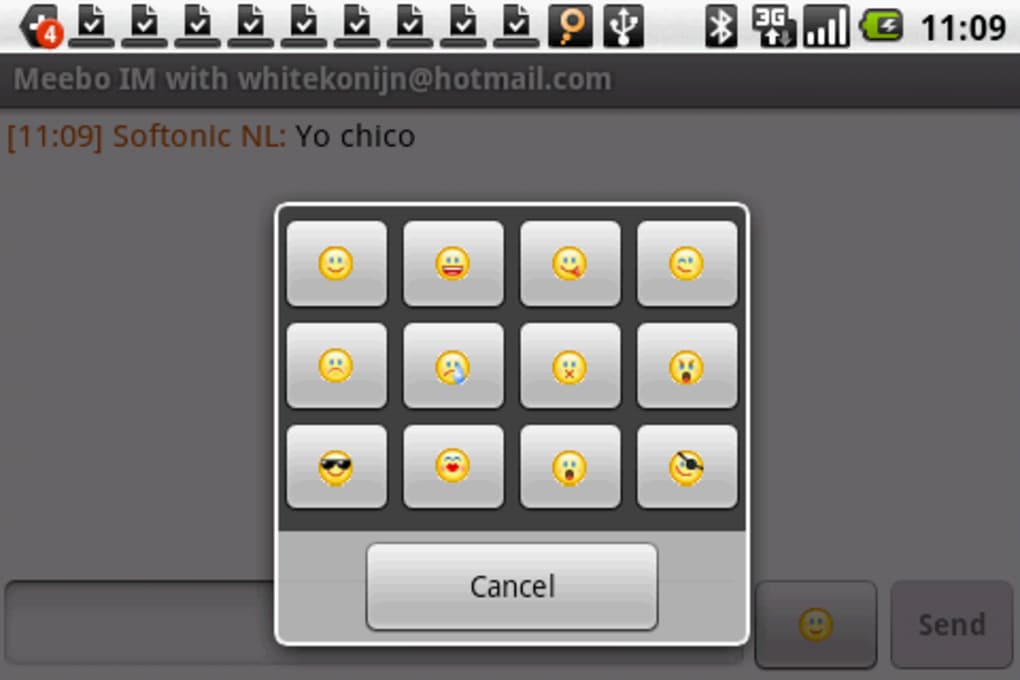
- Limited emoticon selection
- Cannot send images during chats
- Does not display detailed status (e.g., busy, away) for Windows Live contacts
- App is outdated and may not function on modern Android devices
- Limited feature set compared to current messaging platforms
FAQ Section
Is Meebo available for free?
Yes, Meebo is available for free on the Android platform.
Does Meebo require an account to use?
No, users do not need to create an account to start using Meebo. The app allows access to existing messaging accounts directly.
What messaging services does Meebo support?
Meebo supports MSN, ICQ, MySpace, and Facebook chat services.
Can I use Meebo offline?
While the app may store messages locally, real-time communication requires an active internet connection. Offline functionality is not confirmed.
Is Meebo secure?
The developer did not provide specific information about data encryption or security protocols. Users should exercise caution when sharing sensitive information through third-party messaging clients.
Final Thoughts
Meebo offers a straightforward solution for users seeking to consolidate multiple messaging accounts into a single Android application. Its core strengths lie in its ease of access, lightweight design, and support for major chat networks. While the app is limited in features—such as lacking image sharing and a rich emoticon library—it remains a functional tool for basic instant messaging needs. The absence of a required account and clean interface make it accessible to users who value simplicity.
However, given its release date in 2010 and lack of updates, compatibility with modern Android devices is uncertain. The app may not function properly on newer operating systems due to deprecated APIs and security requirements. Despite its historical significance as an early multi-service chat client, users should consider more current alternatives for reliable and secure communication.
Download Meebo APK now and experience a classic approach to unified messaging.






.png)
